Idaho Lottery Mobile App
Modernizing a live lottery application while establishing a scalable design foundation
- Timeline
- 1–2 Weeks
- Role
- Sole UI/UX Designer
- Tools
- Adobe XD, Figma
- Project Type
- Design Revamp & Migration
Project Summary
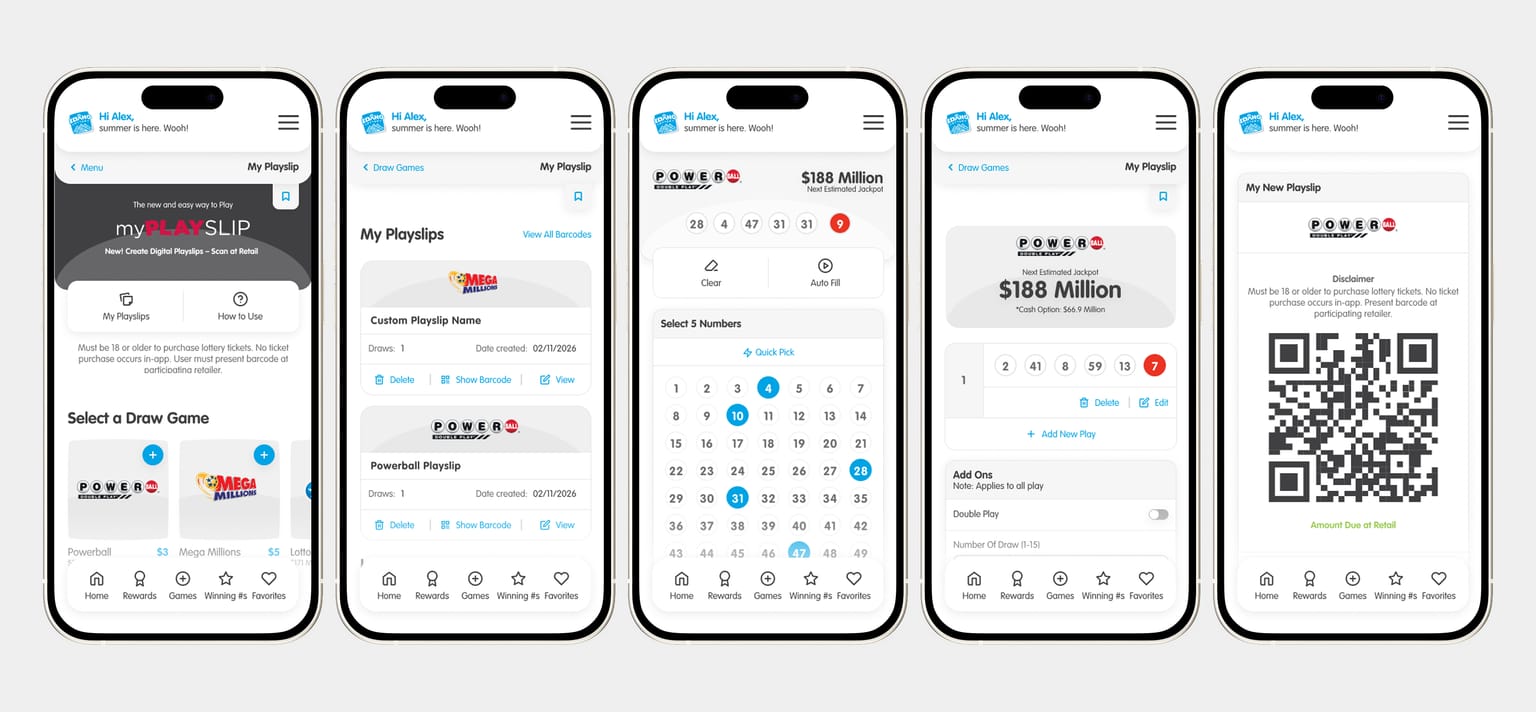
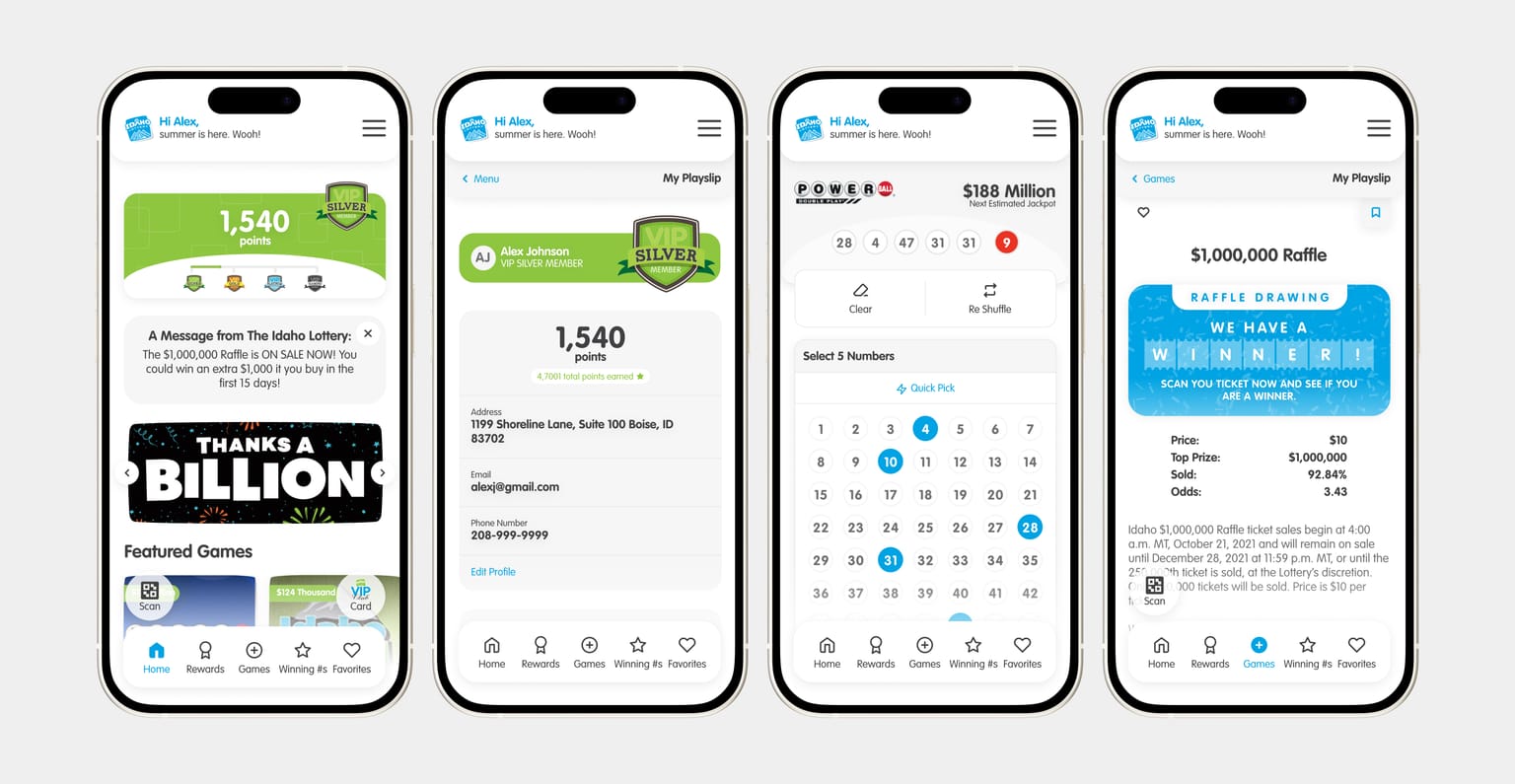
The Idaho Lottery mobile app had been evolving for years before I joined the project. As new features were added over time, the design files became harder to maintain and scale. The product was still managed in Adobe XD, and there wasn't a strong system for reusable components, shared styles, or consistent design patterns. As the sole UI/UX designer, I saw an opportunity to do more than just update screens. I led the migration from Adobe XD to Figma, introduced better design organization, and modernized parts of the experience while preserving the familiarity existing users relied on. Rather than treating this as a full redesign, I focused on making thoughtful improvements that balanced user expectations, development constraints, and long-term maintainability.
The Problem
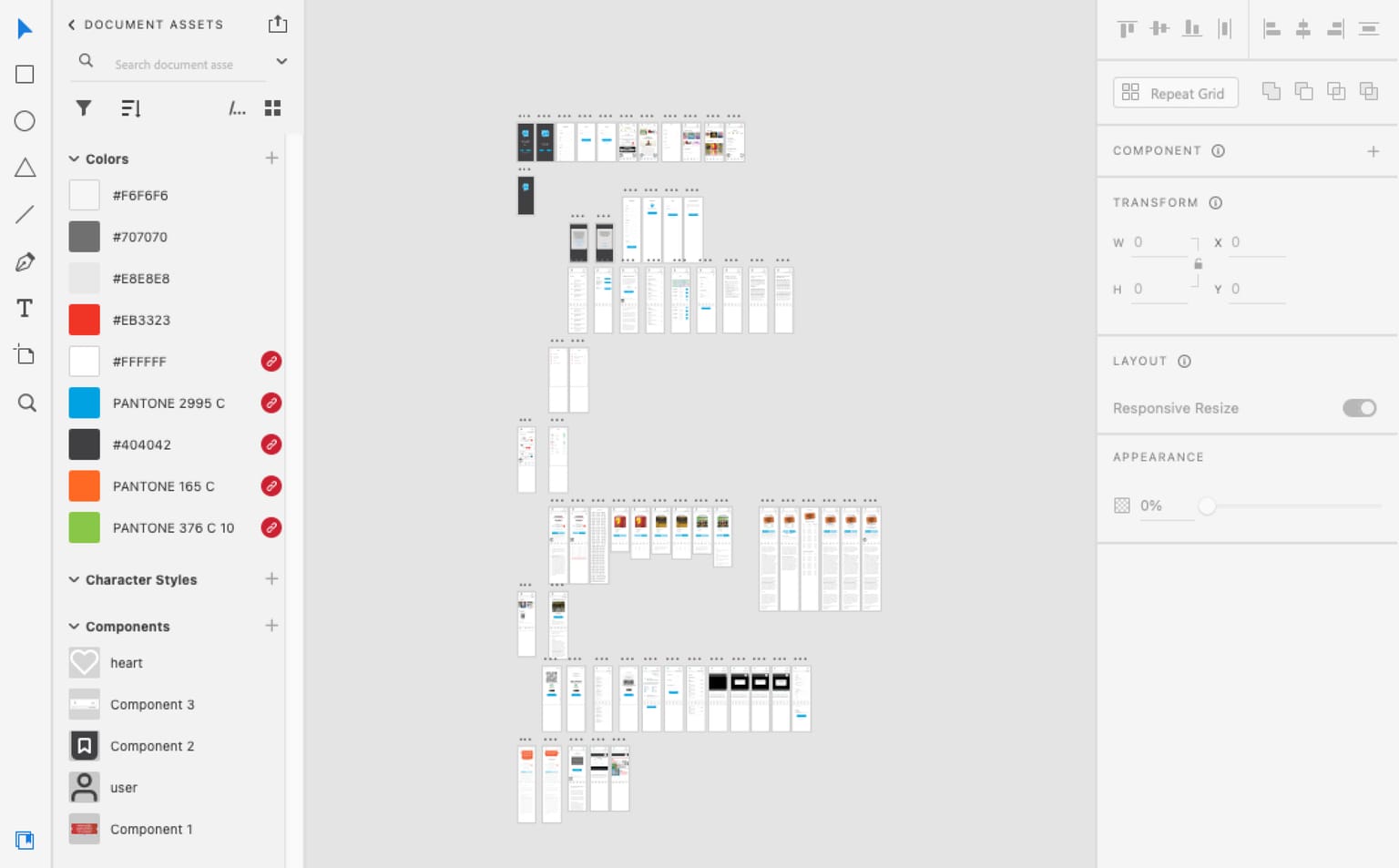
When I first reviewed the project, it was clear that the product had accumulated a fair amount of design debt over the years. The design files lacked structure, repeated elements existed across multiple screens, and there was no reliable system for maintaining consistency as the product grew. Every new update required additional effort because there wasn't a strong foundation supporting the work. At the same time, the application was already live and actively used. Making dramatic changes wasn't an option. Any updates needed to respect existing user habits, fit within development timelines, and remain practical to implement. The challenge wasn't to redesign the app from scratch. It was to modernize and improve the experience while preserving the familiarity users already trusted.
Constraints
Existing User Expectations
Users were already familiar with established navigation patterns and workflows. Any changes needed to feel intuitive without requiring users to relearn the application.
Development Effort
Design decisions needed to account for engineering resources, implementation timelines, and technical feasibility.
Limited Timeline
With a short project timeline, it was important to prioritize improvements that delivered the highest impact while remaining achievable.
Migration Strategy
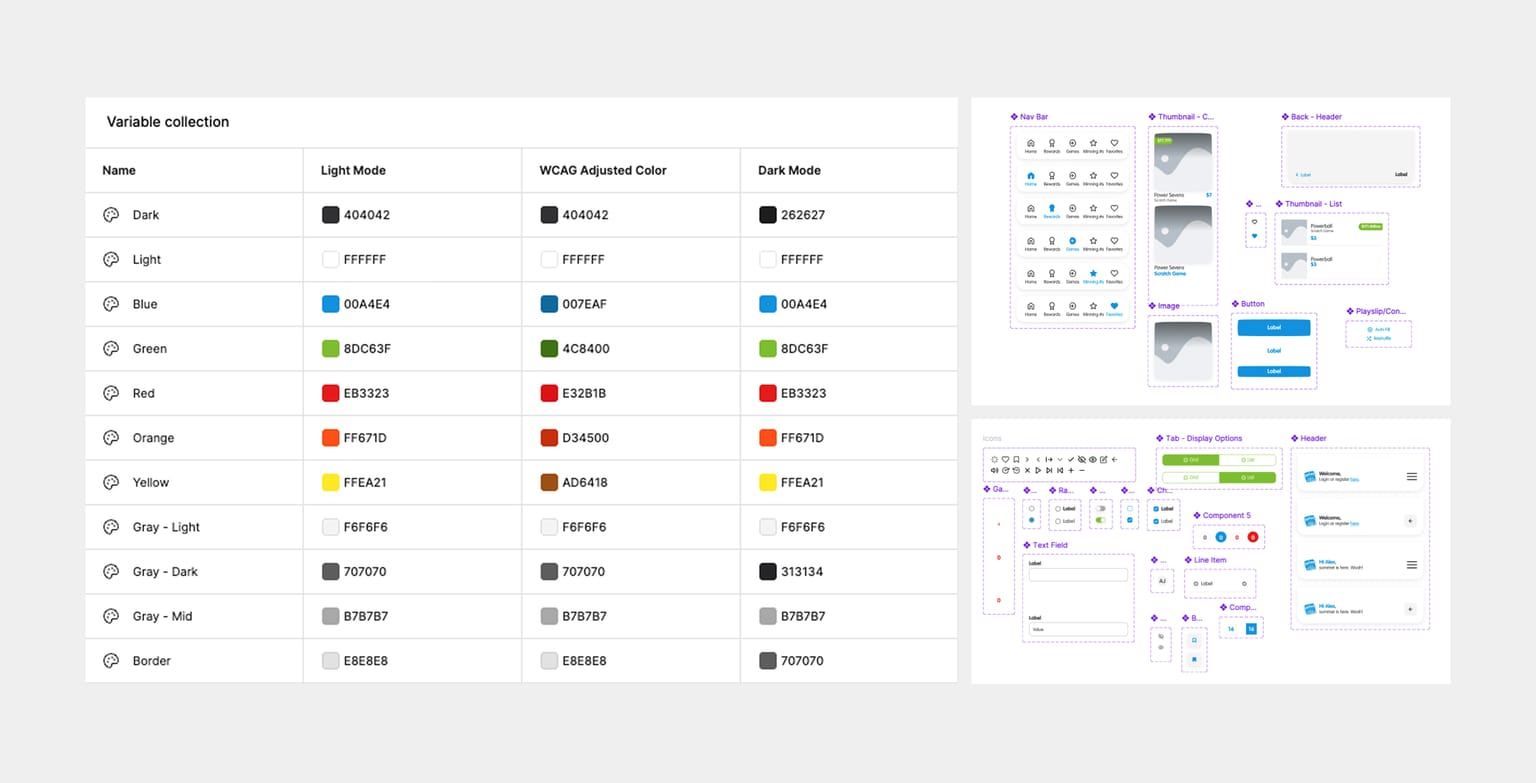
The migration from Adobe XD to Figma became an opportunity to improve the design foundation of the product. Rather than recreating existing files exactly as they were, I used the process to introduce better structure and consistency. However, a full design system from scratch wasn't realistic in the timeline, so I focused on the foundation that would pay off fastest:
Defined color styles
Defined typography styles
Converted repeated patterns into reusable components
Reorganized files into a clear, navigable structure
Built a foundation that could be maintained and extended
Process & Approach
A deliberate design decision: why I didn't redesign everything. A complete redesign may have created a more visually dramatic outcome, but it would also have increased development effort, project risk, and user adaptation requirements. Instead, I chose a more strategic approach. I focused on improving areas that would create meaningful value while preserving the patterns users were already familiar with. This allowed the product to evolve without introducing unnecessary friction for users or developers.
Design Improvements
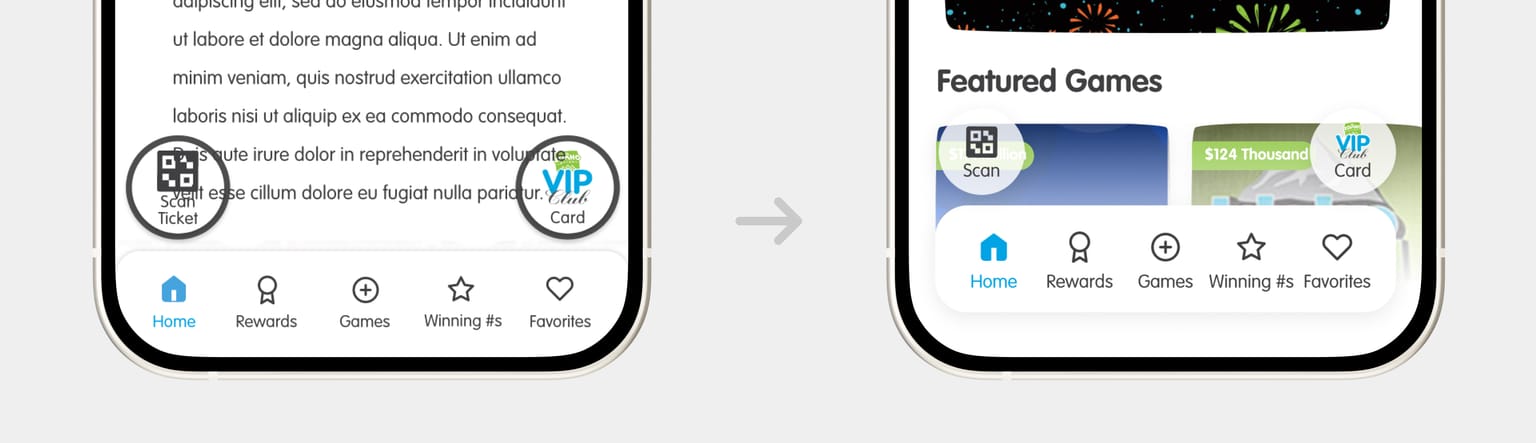
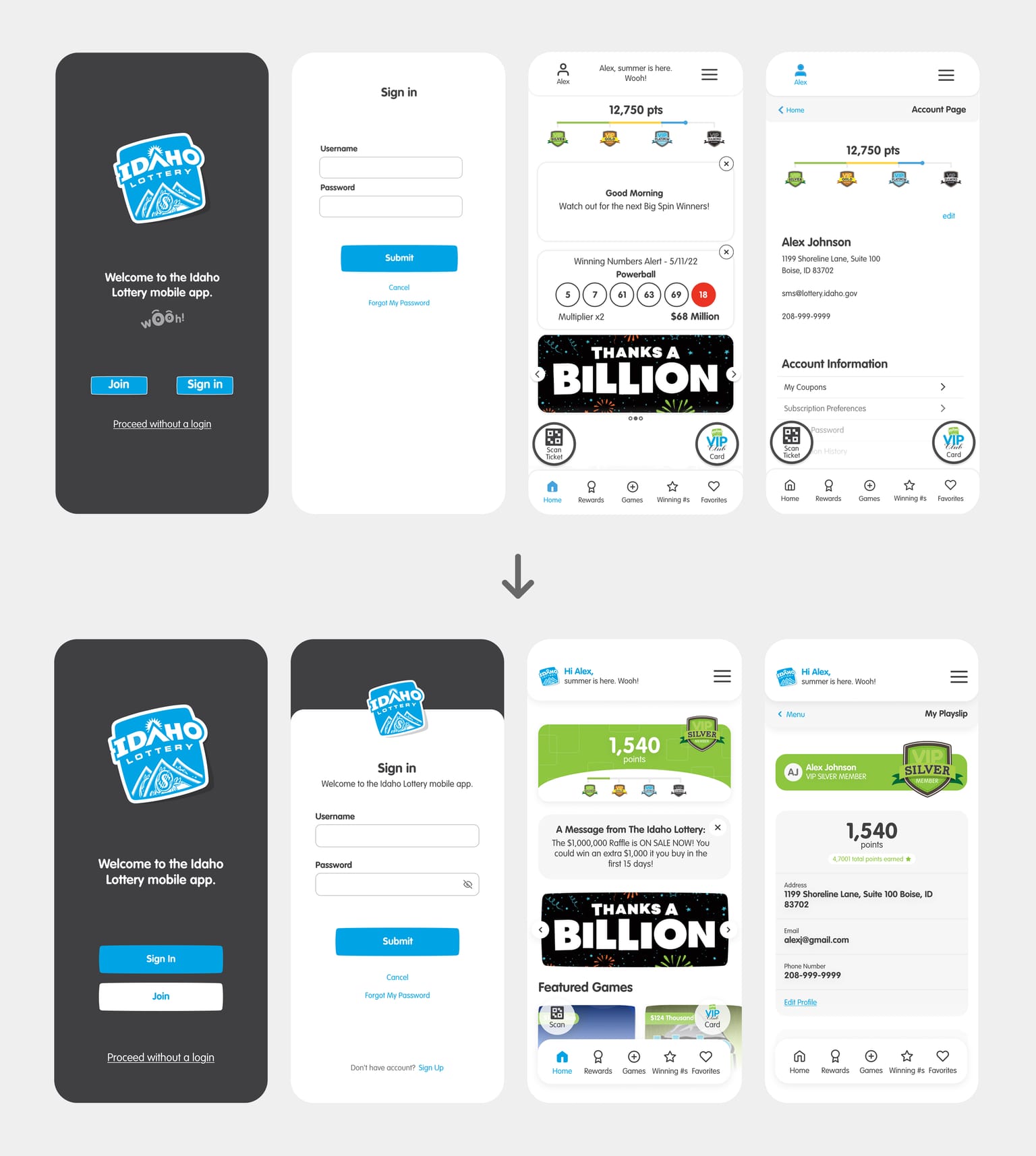
After reviewing the application's user flows, navigation patterns, and interface components, I identified opportunities to modernize the experience without dramatically changing how users interacted with the product.
Refined user flows to remove friction from common paths
Improved visual hierarchy and readability
Modernized interface elements and styling
Updated existing widgets and components
Designed and integrated new features
Kept the brand and core patterns intact, so the app still felt like itself
Challenges & Tradeoffs
Balancing modernization and familiarity. One of the most challenging aspects of the project was deciding how much change was appropriate. Introducing modern design patterns could improve usability, but excessive changes risked creating friction for long-time users. I approached this by focusing on incremental improvements that enhanced the experience without requiring users to relearn established workflows.
Designing within development constraints. Because the product was already live, every design decision needed to consider implementation complexity. In some cases, I intentionally prioritized solutions that delivered meaningful improvements while remaining practical for development teams to implement within existing constraints.
My Contributions
As the sole UI/UX designer on the project, I:
Led the migration from Adobe XD to Figma
Advocated for and introduced Figma workflows within the organization
Improved design file organization and maintainability
Introduced reusable components and design standards
Modernized the application's interface
Enhanced existing user flows
Designed new features and product enhancements
Collaborated closely with developers to ensure implementation feasibility
Established a stronger design foundation for future product growth
Outcomes
While business metrics cannot be disclosed, the project delivered meaningful improvements for both the product and the team. The successful migration from Adobe XD to Figma established a more scalable and maintainable design workflow, making it easier to manage updates and ensure consistency across the application. Through the introduction of reusable components, shared styles, and improved file organization, the product gained a stronger design foundation that can better support future enhancements. Alongside these structural improvements, key areas of the user experience were modernized to improve visual consistency, usability, and overall polish while maintaining familiarity for existing users.
Beyond the product itself, the project also contributed to broader team improvements. By advocating for and leading the adoption of Figma, I helped introduce more efficient design workflows and collaboration practices within the organization. The improved design structure and component-based approach created clearer alignment between design and development, reducing future maintenance effort and making it easier for teams to build, update, and scale the product over time.
Reflection & Learnings
The biggest takeaway: not every redesign should be dramatic. The strongest improvements here were the ones users would barely register. The app just felt a little more intuitive and a little more considered, without anyone having to relearn it. Some of the most valuable design work happens behind the scenes—creating systems, reducing complexity, and improving products in ways that feel natural to users. By balancing modernization, scalability, and implementation constraints, I was able to help evolve the product while preserving the experience users already trusted.
Conclusion
The Idaho Lottery Mobile App revamp was ultimately about evolution rather than reinvention. By leading the migration to Figma, improving design structure, modernizing key experiences, and working within real-world constraints, I helped create a stronger foundation for the product's continued growth. The project demonstrates my approach to product design: balancing user needs, business goals, technical realities, and long-term scalability to create solutions that are both practical and impactful.
Ongoing Involvement
My involvement with the product extends beyond the migration project. Today, I am responsible for designing new features and seasonal event experiences, helping shape how the application continues to grow while ensuring each addition feels cohesive, intuitive, and aligned with the overall user experience.